Start an OPD visit for a returning patient
Who: receptionists. Where: menu → OPD Queue → New visit.
For a patient registered before. A new patient gets their visit when you register them with Send to OPD queue after registration ticked.
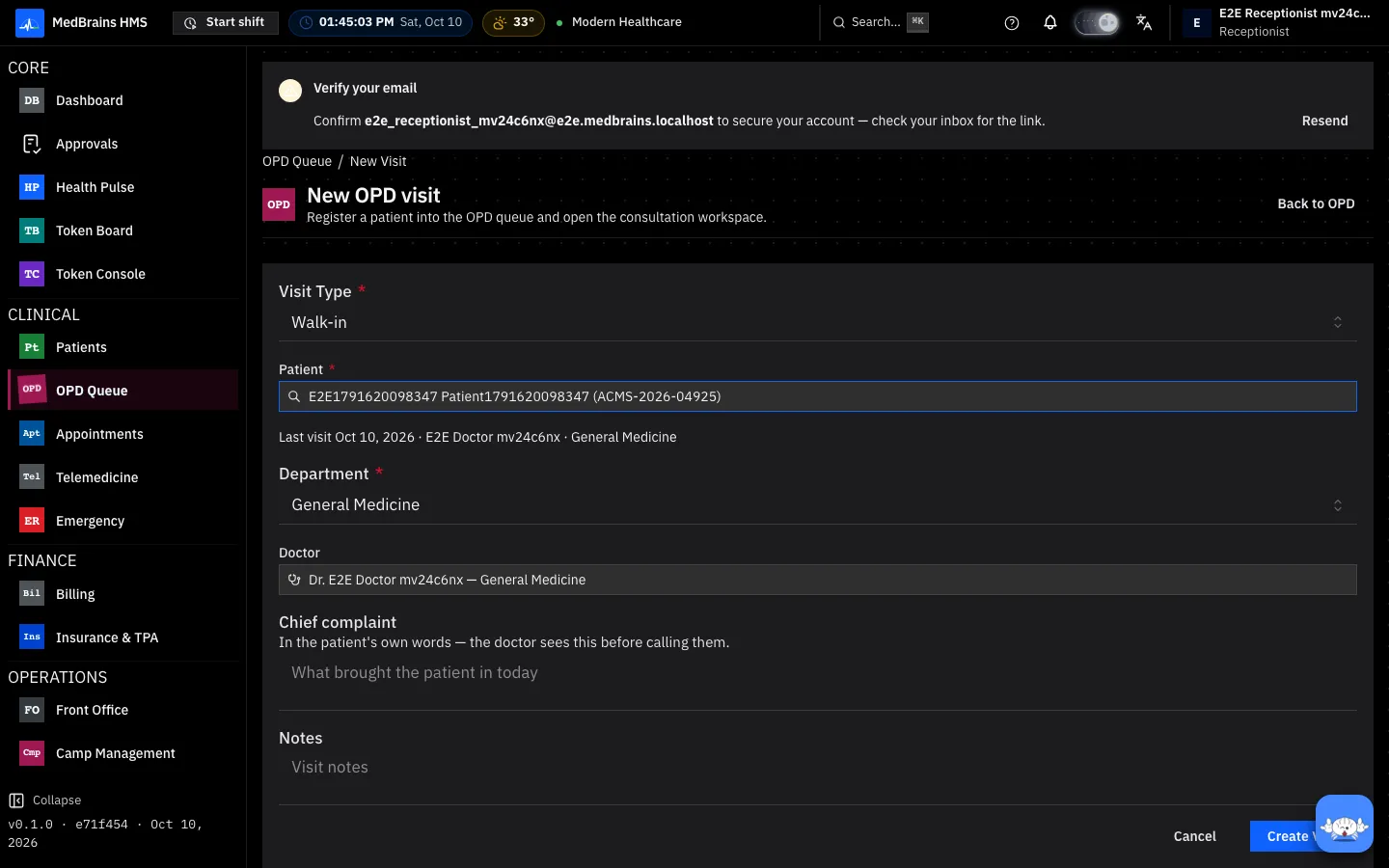
- Under Patient, type the UHID, name or phone and choose the patient.
- Read Last visit: when the patient was last seen, by which doctor, in which department. MedBrains chooses that doctor and department for you; change them if the patient needs someone else today. A doctor who has left the hospital is named but not chosen.
- Check the Visit type (walk-in, appointment, camp…).
- Write the Chief complaint in the patient's own words: the doctor reads it before calling them.
- Select Create Visit. The patient is in the doctor's queue with a token.
When something goes wrong
- "First OPD visit." The patient has never had an OPD visit; choose the department and doctor yourself.
- "The last visit could not be loaded." A connection problem, not a missing record. Choose the doctor yourself and carry on.
- The patient has an active admission. A patient admitted to a ward cannot start a new OPD visit; use the admission, or discharge first.