Write and sign a consultation
Who: doctors. Where: menu → OPD Queue → the patient → Consultation.
Every OPD visit has one case sheet. The consultation is written there, as a note with four parts: Subjective, Objective, Assessment and Plan.
Write the note
- Open the patient's visit and choose Consultation on the left.
- Select New note → Consultation. Other kinds of note are offered too: a consult opinion, a history and physical, a progress note, a procedure note.
- Write each part. The note saves itself as you type; Draft saved shows when it has. A draft is yours until you sign it.
Sign it
Select Sign. The note now carries your name, your registration number, your department and the time.
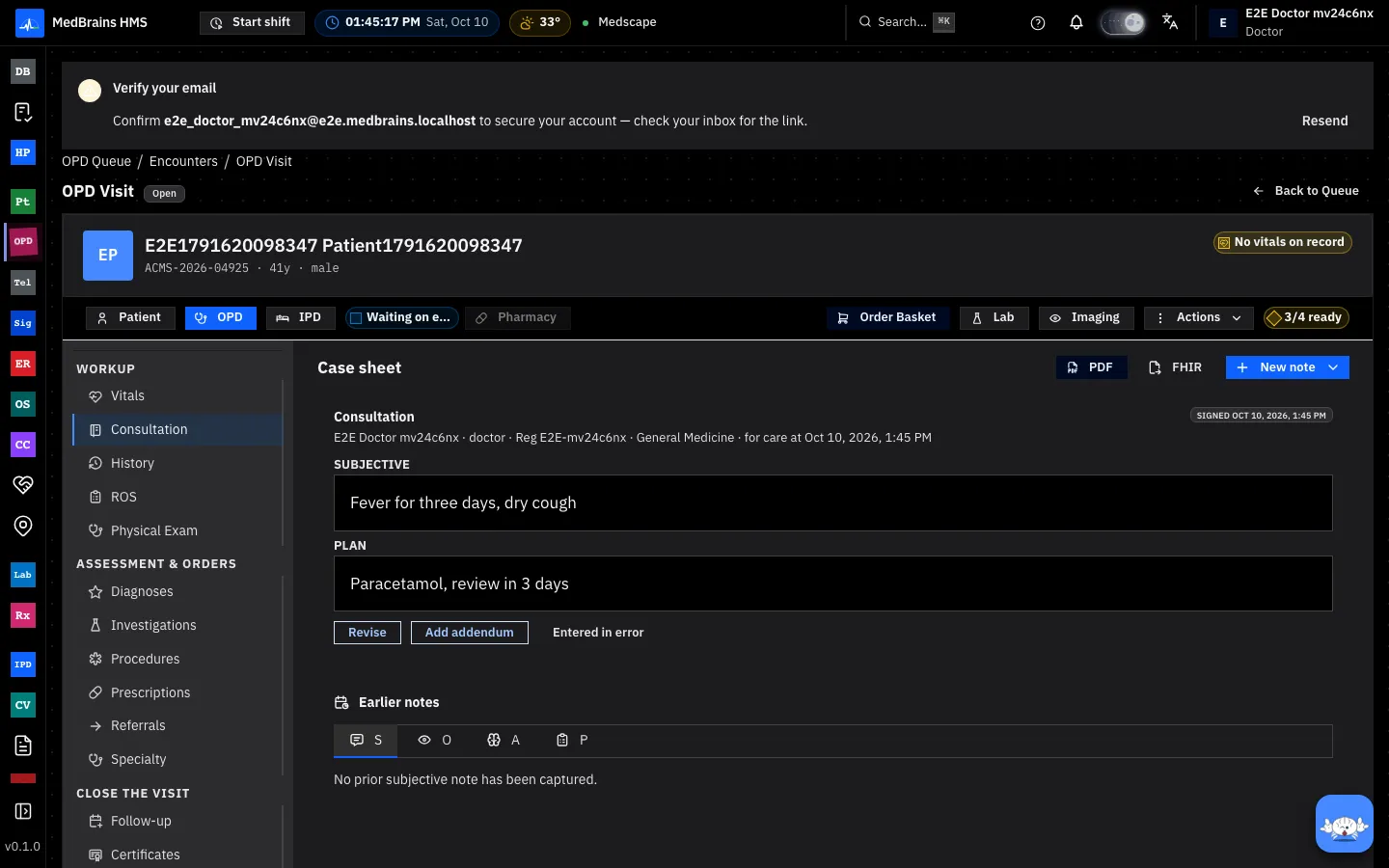
After signing
- Revise: for a short while after signing (the hospital sets how long), you can correct the note. The signed version is kept.
- Add addendum: after that, add to the note rather than change it.
- Entered in error: when a note was written on the wrong patient or visit. Give the reason; the note stays on the record, struck through, so the record shows what happened.
- PDF prints the case sheet and files it to the visit's medical record.
When something goes wrong
- Consultation is not in the New note menu. Your access to consultation notes is restricted; ask your hospital administrator.
- "Content withheld" on a note. The same restriction: you can see that a consultation exists, not what it says.
- A resident's note waits for countersigning. Notes by doctors you supervise appear under your countersign list until you countersign or return them with a comment.